
lohud
USA TODAY Co.News & Magazines
3.465.00 Reviews
- Version
- 8.10.3
- Installs
- 50.00K
- Age Rating
- Everyone 10+
Screenshots



Our Review of lohud
 Analysis by Appyee
I found lohud most useful when I wanted news from a particular local area without giving up access to wider stories. It is a free news and magazines app from USA TODAY Co., built around local and national reporting, photography, and video rather than a single stream of headlines. My overall view is positive but specific: lohud works best as a local-news companion, not as the only news source on your phone.
The app has been around since May 3, 2012, and its current version is 8.10.3. That long presence gives it the feel of an established publication app rather than a temporary headline reader. It is available for Android devices running version 8.0 or later, carries an Everyone 10+ content rating, and has passed 50K+ installs. Those details matter if you are deciding whether it is suitable for an older phone or for a family device.
How lohud feels in everyday use
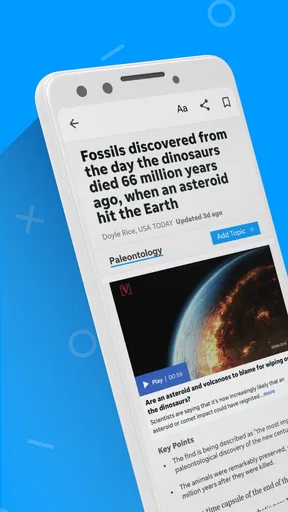
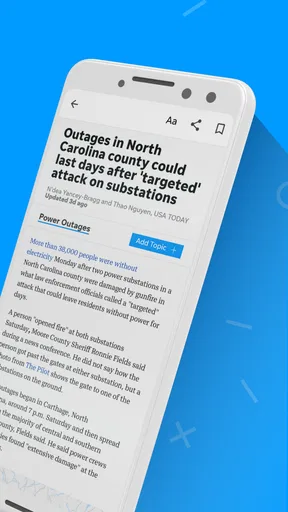
My first impression is that lohud is designed for readers who want a publication-style experience. Instead of treating every story as an isolated alert, it brings together local reporting, national coverage, visual journalism, and video. That makes it more useful during a longer reading session than a basic breaking-news widget, especially when I have time to browse beyond the first headline.
The strongest part of the experience is the local angle. National news is easy to find through countless apps, search engines, and social feeds. Local reporting is harder to replace because it concerns the places, institutions, events, and decisions that affect a reader directly. If your daily interests are tied to the area covered by lohud, the app has a clear reason to remain installed.
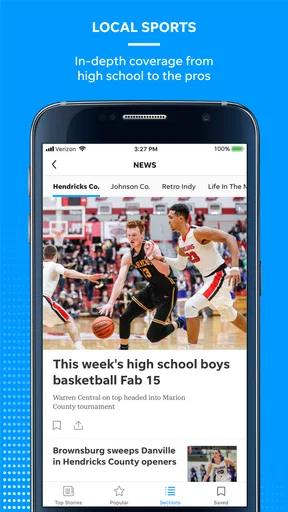
I also appreciate the mix of formats. A text article can explain a developing story, a photograph can provide immediate context, and video can make an event feel less distant. That variety is more engaging than scrolling through identical headline cards. It also gives me a practical way to choose how much attention I want to give a story: a quick visual glance, a short video, or a deeper read.
That does not mean every user will prefer this approach. Someone who wants only a rapid list of national headlines may find lohud slower and more publication-focused than necessary. I would choose a general news aggregator for a quick overview of many outlets, then use lohud when I wanted a more local and editorially focused read.
Local coverage is the main reason to keep it
The app makes the most sense when local information is part of your routine. I can imagine opening it in the morning to understand what happened nearby, checking it during a commute for a developing story, or browsing it in the evening when I want more context than a notification provides. The value is not simply having another place to read news; it is having a focused destination for coverage that broad national apps often treat as secondary.
A realistic example would be a reader preparing for a busy day in the community. Rather than jumping between social posts, search results, and several unrelated websites, that person can begin with lohud to see which local stories deserve attention. A report may lead to a photo gallery or video, while a national item provides broader context. This creates a more coherent reading habit than reacting to whichever headline happens to appear first in a social feed.
There is also a useful trade-off here. A local publication app can feel more relevant than a huge aggregator, but its focus is naturally narrower. If you regularly need international reporting, specialist business coverage, science news, or a broad political digest, you will probably want another source alongside it. I would not treat that as a defect so much as a boundary: lohud is strongest when local relevance is your priority.
Photography and video add context, not just decoration
The visual material is one of the app’s more meaningful strengths. News photography can communicate scale, atmosphere, and location faster than a paragraph, while video can help clarify an event that is difficult to understand from a headline alone. I found this especially valuable for stories where the setting matters, such as community events, public scenes, or developing situations.
My advice is to use the visual elements selectively. If I am checking the app quickly, I look for the image or video that explains why a story matters before committing to the full article. This is a small workflow improvement, but it prevents aimless scrolling. The visual layer becomes a navigation tool: it helps me decide which reports deserve several minutes rather than merely making the feed look busier.
There is a downside to a richer media mix. Video and large images can make a news session feel less lightweight than reading plain text. If you are on a limited connection, trying to conserve battery, or simply want a compact headline list, the visual emphasis may feel unnecessary. In that situation, a text-first reader can be the better option.
The reading experience suits browsing more than urgent scanning
I see lohud as an app for intentional browsing. It rewards opening it with a little time available, moving from one story to another, and following the publication’s presentation of the news. That is different from an alert service, where the goal is to deliver the shortest possible update immediately.
For me, this distinction affects when I would open it. I would use it with breakfast, during a quiet break, or at the end of the day. I would not depend on it alone when I needed instant confirmation of a fast-moving event. In those moments, I would check a direct alert or another established source and then return to lohud for fuller local context.
This is also why the app can complement rather than replace a general news service. An aggregator is efficient for comparing headlines from many publishers. A social feed is fast but uneven and often lacks context. A browser gives flexibility but can become cluttered with tabs and distractions. lohud sits between those choices: more focused than a browser session, more editorially shaped than a social feed, and more local than a broad aggregator.
What the rating and payment model suggest
lohud is free to install, and its average rating is 3.4 from around 211 ratings, with roughly 65 written reviews. I would read that as a sign to set realistic expectations rather than as a simple verdict. The app clearly serves a real audience, but the experience may not satisfy everyone equally, especially readers who expect a completely frictionless, highly customizable news tool.
There are in-app purchases ranging from $19.99 to $69.99 per item. That is important before installing, even though the initial download is free. I would check the purchase screen carefully and make sure I understand what any paid option provides before confirming it. For a casual reader, the free entry point may be enough to decide whether the publication’s coverage fits their needs; for a frequent reader, paid access may become part of the longer-term choice.
This payment structure creates a clear question: is the app worth paying for if a purchase becomes relevant? My answer depends on how much you value its local reporting. If local stories are central to your day, paying for continued access can make more sense than subscribing to a broad service whose coverage you rarely read. If you only open the app occasionally, the cost may be harder to justify, particularly when free headline sources already cover your general interests.
I would also avoid judging the app solely by its free download status. The important decision is not whether installation costs anything; it is whether the ongoing reading experience and the publication’s local relevance justify any purchase you choose. That is a personal value calculation, and lohud is much easier to recommend to a committed local-news reader than to someone browsing casually.
Small habits that make the app more useful
One practical habit is to separate quick checks from proper reading. On a rushed morning, I would scan the most relevant local headlines and save deeper reading for later rather than trying to consume everything immediately. This keeps the app from becoming another source of information overload and makes its broader mix of stories easier to manage.
A second useful approach is to compare the same event across formats. I would read the article for facts and sequence, then use its photography or video to understand the setting. This is particularly helpful when a headline feels vague. The visual material can reveal why the story is significant, while the written report supplies the details that an image cannot provide.
Third, I would use lohud as a verification step after seeing a local claim elsewhere. Social posts can surface an event quickly, but they often leave out timing, background, or the difference between a confirmed report and speculation. Checking the publication’s coverage gives me a more grounded starting point before I share anything or make plans around it.
Finally, I would keep expectations narrow and deliberate. The app is not made more valuable by opening it constantly. Its best role is a reliable local reading stop, supported by another source for wider or urgent news. That division of labor reduces repetition and makes each app do what it is best at.
Who should use lohud, and who should skip it?
I would recommend lohud to people who live in, work in, or have close connections to the area it covers. It is also a good fit for readers who prefer a publication’s combination of local reporting, national stories, photography, and video over an algorithmic stream. The app is especially appealing if you want a regular local-news habit rather than occasional searches for individual stories.
It may also suit family members who live elsewhere but want a convenient way to follow community news. The Everyone 10+ rating makes it broadly approachable, although I would still use normal judgment when deciding which news stories are appropriate for younger readers because news content can vary in subject matter.
I would skip it if your main goal is a worldwide news dashboard, a specialist publication, or an extremely minimal text-only reader. I would also hesitate if you dislike apps that may present paid options after a free installation. In those cases, a general aggregator, a dedicated specialist source, or a browser-based reading routine may fit better.
The app is developed by USA TODAY Co., which explains its connection to a wider news-publishing environment while preserving its local identity. That combination is useful for readers who want local stories without feeling completely cut off from national coverage. Still, the local focus should remain the deciding factor; the national material alone is not enough reason for me to choose this app over the many broad news alternatives available.
My final assessment
After using it as a local-news reader, I see lohud as a focused and worthwhile choice for the right audience. Its strengths are clear: local relevance, a publication-style reading experience, and a useful blend of written reporting, photography, and video. It feels more purposeful than a social feed and more personal than a huge headline aggregator when the stories close to home matter most.
Its limitations are just as important. It is not the best single app for every kind of news, its richer media presentation may not suit readers who want maximum simplicity, and the in-app purchase range means free installation should not be confused with an entirely cost-free long-term experience. The middling average rating also suggests that expectations should be practical rather than idealized.
My recommendation is straightforward: install it if local coverage is the reason you are looking for a news app, spend time with the free experience, and decide later whether any paid option matches your reading habits. Pair it with a broader source for international or specialist reporting. For someone who wants to stay connected to local events while still having access to national context, lohud earns a place on the phone. For everyone else, it is better viewed as a supplementary publication than as a complete news solution.
Verdict
Strengths of lohud
- Clear local news coverage focused on the Hudson Valley community.
- Useful updates on local events, weather, sports, and public safety.
- Easy access to articles while traveling or away from a computer.
- Push notifications can help users follow important breaking stories.
- Supports staying informed about nearby neighborhoods and local issues.
Limitations of lohud
- Some content may require a subscription or account for full access.
- Frequent notifications can feel excessive unless carefully customized.
- Coverage is mainly regional and may feel limited for broader news needs.
- Advertising can take up screen space and interrupt the reading experience.
- App performance and article loading may depend heavily on your connection.
Other Releases by USA TODAY Co.
View All
IndyStar: Indianapolis Star
News & Magazines2.7

AZ Central: Arizona Republic
News & Magazines2.5

The Detroit News: Local News
News & Magazines3.1

Detroit Free Press: Freep
News & Magazines3.0
Similar Picks in This Category
View All
Google News - Daily Headlines
Google LLC4.0

X
X Corp.4.8

Flipboard:Your Social Magazine
Flipboard3.4

Opera News: breaking & local
Opera4.5

Hindi News by Dainik Bhaskar
Dainik Bhaskar Group4.0

Way2News Daily News App
Way2News ( Formerly Way2SMS )4.6
Frequently Asked Questions
What is lohud and what can I use it for?
lohud is a local news and information app focused on the Lower Hudson Valley area. After exploring its sections, users can typically find breaking news, community updates, local sports, entertainment coverage, weather information, and stories about nearby towns. It is designed for readers who want regional reporting in one convenient mobile experience rather than relying only on a general national news app.
Is the lohud app free to download and use?
The lohud app can generally be downloaded at no cost from the appropriate app store, allowing users to browse available headlines and selected articles. However, access to all content may depend on the publisher’s subscription or membership rules. Some stories, premium features, or unlimited reading may require registration, a paid subscription, or an existing newspaper account, so check the current terms before subscribing.
Does lohud require a subscription to read every article?
Not necessarily. The app may offer a mixture of freely accessible stories and content protected by a digital subscription or paywall. The exact number of articles available without payment can change over time, and logged-in subscribers may receive broader access. If you mainly want occasional local updates, the free content may be sufficient, while frequent readers should review the available subscription plans.
What type of news and features are available in lohud?
The app is intended to cover news that matters to Lower Hudson Valley residents, including local government, crime, education, traffic, business, health, events, and community developments. Depending on the current version, it may also include sports coverage, photo galleries, newsletters, alerts, saved stories, and personalized notifications. Availability can vary by device, location, account status, and app updates.
Is lohud worth downloading for local news readers?
lohud can be worthwhile if you live in, work in, or regularly follow the Lower Hudson Valley and want a focused source of regional reporting. Its main advantage is convenience: important local stories, updates, and alerts are gathered in one place. Before downloading, consider whether you are comfortable with advertisements, account requirements, and possible subscription limits for premium or unlimited content.
